Free AI ski & snowboard coach
Upload a clip of your run. Our AI coach pauses at the moments that matter, draws arrows on your riding, explains any falls and answers your follow-up questions.
Reviewing your video is one of the best ways to see where you can improve. Use our free tool to analyse your video.
By uploading, you confirm you have the rider's permission. Read how we handle your video in our privacy note.
Clips up to 60 seconds and 200 MB. Your video stays private to you.
How the AI video analysis works
- 1
Film a short run
Side-on or from behind, whole body in frame, 10 to 60 seconds. A phone is fine.
- 2
Upload it
The AI picks the key moments and freezes each one for five seconds, with arrows and one clear tip. It flags any falls and explains what led up to them.
- 3
Ask your coach
Ask anything, like "Why did I fall at 0:03?" or "Am I leaning back?". Sign in with Sotravel to save your analysis and analyse more videos.
See an example analysis
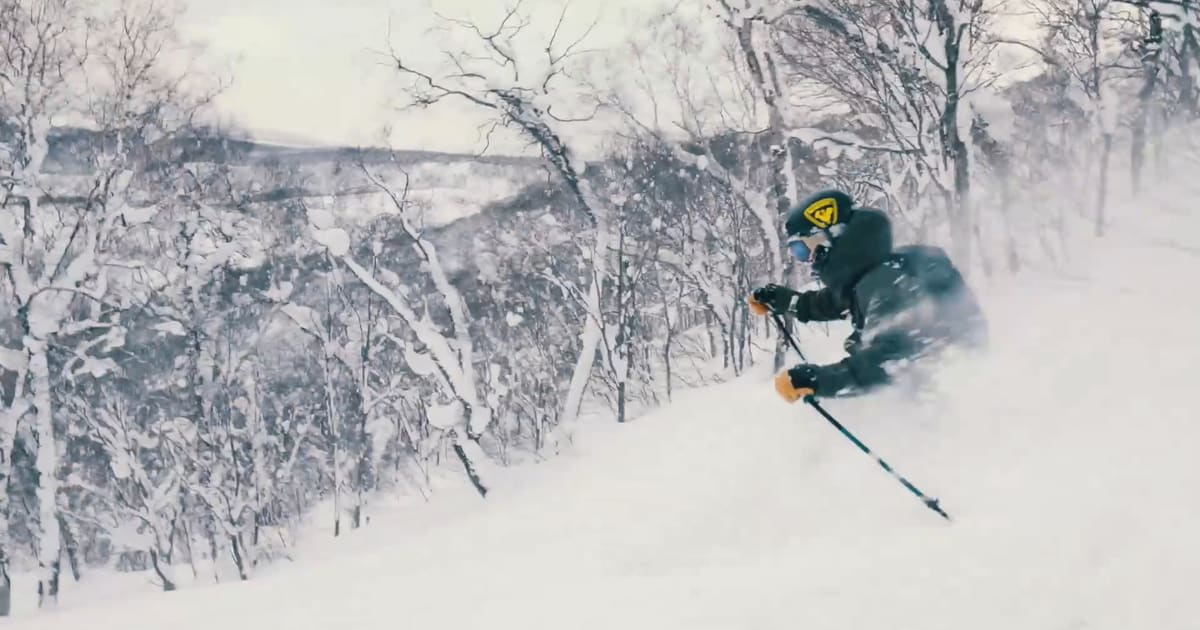
This is what a coaching pause looks like. The video stops on the exact frame, a card names one thing to work on, and an arrow points to the part of your body that matters. Every analysis has up to three pauses, and falls come first.
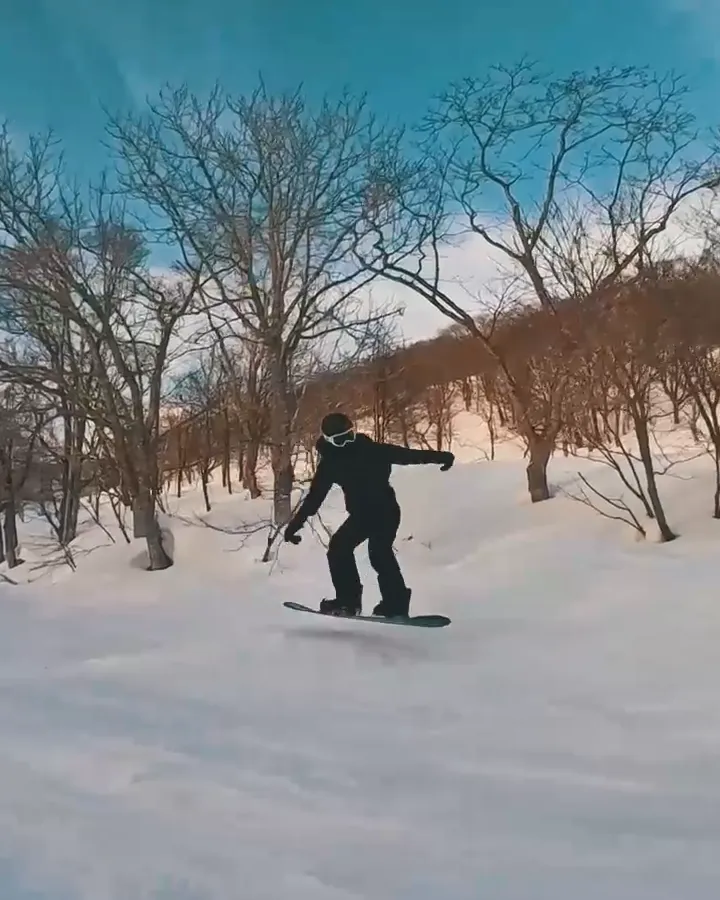
Look ahead
Turn your head to the exit of the turn.
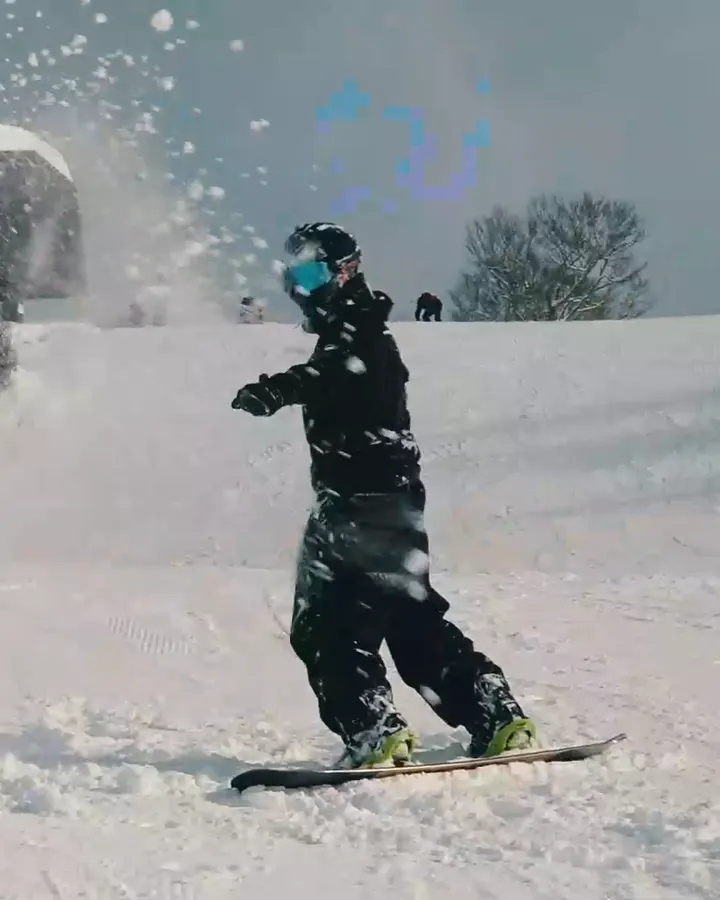
Weight on the back foot
Your hips drift back as the nose slows in deep snow.
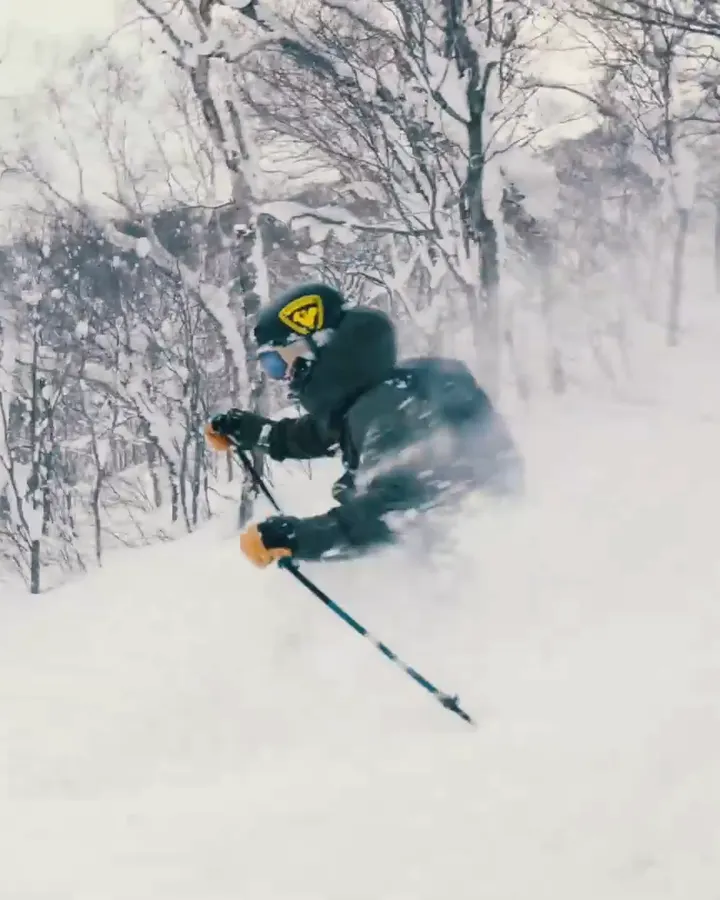
Hands forward
Reach your pole plant downhill to stay centred.
Illustration on Sotravel trip footage from Japan. Your own analysis is written for your video.
What the AI checks in your ski or snowboard video
The coach looks for the fundamentals instructors check first, and for the moments where your riding changes: a wobble, a skid, a fall.
Snowboarding
- Stance: flexed ankles and knees, weight over the front foot
- Edge changes, and why you catch an edge
- Turn shape and linking turns
- Upper-body rotation and arm position
- Falls and near-falls
Skiing
- Back seat: hips behind your feet
- Pressure on the outside ski
- Upper-body rotation and where you look
- Edge angles: angulation vs leaning in
- Snowplough vs parallel, falls and near-falls
Why did I fall? How fall detection works
Falls happen fast, and from the inside they're a blur. The AI watches your whole run, marks every fall and near-fall, then studies the second or so before it frame by frame. Its explanation separates what is visible (for example, "your weight moves onto the back foot as the board slows") from the likely cause, and says how sure it is.
Each fall gets its own "Why you fell" pause in the video, with an arrow to the part of your body where it started and a cue for your next run. Wondering why you keep falling on your snowboard or how to stop leaning back on skis? Our guides go deeper.
Ask your AI coach follow-up questions
After the analysis, chat with the coach about any moment of your run. Pause where you want and ask about "this moment", or type a time:
- "Why did I fall at 0:03?"
- "Am I leaning back?"
- "What should I practise on my next run?"
- "Was my edge change too early at 0:12?"
Before it answers, the coach looks again at the frames around that moment, so the reply is about your riding, not a generic tip. Answers are short, jump the video to the moment they describe, and say so when the camera angle can't show something.
How to film your run for the best analysis
- Angle: from the side or from behind. Both show balance and body position well.
- Framing: a few metres away, whole body in frame, including your board or skis.
- Length: 10 to 60 seconds of steady riding. Trim longer clips first.
- Steady shot: hold the phone still and avoid zooming or fast pans.
- Light: daylight or a well-lit night run.
- Phone or action cam: a phone in a friend's hand works best. Helmet and selfie-stick cameras show less of your body, so there's less for the AI to see.
- File: MP4 or MOV, as your phone records it, up to 200 MB.
AI feedback vs a lesson: what it can and can't do
AI feedback is a starting point, not a replacement for a certified instructor. It sees only what's in the frame and can't judge the snow, your gear or how you felt. Use it to pick one thing to work on, then test it on the snow. Want a human coach? Our Japan camps coach small groups, and the Japan ski & snowboard trips guide explains how they run.
- It can: spot stance, balance and body-position patterns that show on camera, find falls and the moments before them, give one clear cue per moment and answer your questions about them.
- It can't: see what's out of frame or hidden by clothing, judge snow conditions, gear set-up or tiredness, or be right every time. It tells you how certain it is.
Improve faster on the snow
The fastest progress comes from days on snow with people who know what to look for. These Sotravel trips are built for it.
Japan ski & snowboard trips → Lessons in Japan → All trips →
More ski & snowboard guides
Frequently asked questions
About the free AI ski & snowboard coach.
Is the AI ski and snowboard coach really free?
Yes. Your first analysis is free with no sign-up. To analyse more videos, sign in with a free Sotravel account; signed-in riders can analyse up to 10 videos a day.
Does it work for snowboarding and skiing, and for every level?
Yes. Choose snowboard or ski, or let the AI work it out. It works from your first linked turns to confident intermediate riding, and its tips are pitched at what it sees in your video.
What kind of video works best?
A clip of 10 to 60 seconds, filmed from the side or from behind, with your whole body in frame and a steady phone. MP4 or MOV files up to 200 MB work; trim longer clips first.
How does it detect and explain falls?
It watches the whole run, marks falls and near-falls, then looks closely at the frames before each one. It explains what it can see and the likely cause, says how sure it is, and gives you a cue for your next run in a "Why you fell" pause.
Can I ask questions about a specific moment?
Yes. Pause the video and ask about "this moment", or type a time like "0:12". The coach checks the frames around that time again before answering, and jumps the video to the moment it's talking about.
How accurate is AI feedback, and can it replace a lesson?
It's a good first look, not a replacement for a certified instructor. It can only judge what's visible in your clip, and it tells you how certain it is. Use it to decide what to work on, and take lessons to fix it properly.
Is there a Carv-style AI coach for snowboarding?
Most AI ski coaches rely on sensors in your boots, or work for skiing only. This coach works from a normal phone video, for snowboarding and skiing, with nothing to buy or install.
What happens to my video, and can I delete it?
Your video, analysis and questions are private to you. We keep them so you can come back to your analysis. To have them deleted, contact us.
Can I upload a friend's video?
Only with their permission: the video shows them, so ask first. The analysis stays private to you.
Does it work for park, tricks or powder?
It's built for everyday riding: turns, balance, stance and falls. It will comment on park or powder clips, but feedback on tricks, jumps and rails is limited, and deep powder can hide your board or skis from the camera.
Is it available in Chinese?
Yes. This page is also in Traditional Chinese, and the coach answers your follow-up questions in the language you ask in. The written analysis (the tips on the video, the summary and the coaching moments) is in English for now.
Privacy: what happens to your video
- Private to you. Only you can see your video, analysis and chat: on this device, or in your Sotravel account once you sign in. Nothing is published.
- Deleted when you ask. We keep your uploaded video and analysis so you can come back to them, and delete them when you ask us to. Download your coached video if you want your own copy.
- Used for your analysis. Frames from your video are processed by our AI provider to create your analysis and answer your questions.
- No account needed for your first video. An anonymous ID saved in your browser keeps that analysis private to you. Sign in and it moves to your account.
Questions or a deletion request? Contact us.